Web design trends for 2026 and 2027: what held up, and what comes next
The web design trends that held up in 2026, the ones that faded, and what comes next in 2027, with data on AI, motion, speed, accessibility and search.

We first wrote this list in the spring of 2025 and rewrote it for 2026. Now 2026 is almost over, so this version does something most trend lists don’t: it looks back. Which trends held up, which faded, and what is worth planning for in 2027?
I’ve designed websites, brands and presentations for more than 20 years, and I’ve watched a lot of trends come and go. The ones that last have one thing in common. So every trend below gets the same test, and I’d suggest you use it too, whether you’re a marketer, a founder or another designer:
Does it help people understand us faster?
If a trend makes it quicker for a visitor to see who you are, what you offer and what to do next, it’s worth your time. If it only makes the page look current, it will look dated soon, and it may slow people down in the meantime.
Why “understand us faster” is the test
People judge a website very quickly, and long before they read anything. In a well-known 2006 study, Gitte Lindgaard and colleagues found that people rate how appealing a web page looks within 50 milliseconds, and that those snap ratings matched the ratings people gave when the page stayed on screen ten times longer. A 2012 study co-authored by a Google researcher went further: visual complexity and how familiar a layout looks changed people’s ratings even when the page was on screen for only 17 milliseconds. Busy pages looked less attractive, and so did pages that didn’t look like what people expected a website of that kind to look like.
Then comes the reading. A Microsoft Research study of more than two billion page visits, summarized by Jakob Nielsen, found that people often leave a page within 10 to 20 seconds, and that the first 10 seconds decide whether they stay. So a page has two very short windows: a fraction of a second to look right, and a few seconds to make sense.
That’s why I don’t judge trends by how new they look. I judge them by what they do in those two windows. A beautiful animation that delays the headline fails the test. A plain page with a clear headline, real photos and one obvious next step passes it, even if nobody would call it trendy.
The rest of this piece applies the test to what happened in 2026.
Held up: human craft, as the answer to AI sameness
The biggest design story of 2026 wasn’t a style. It was a reaction. AI made a competent-looking page almost free, and a lot of those pages started to look the same.
The evidence is unusually consistent. The Nielsen Norman Group, which has no AI tool to sell, opened its State of UX 2026 report with a blunt line: lazy AI features and AI slop are now everywhere, and it expects a backlash in which human detail sets products apart. In a separate test of AI prototyping tools, NN/g found that without detailed visual direction, the tools produced similar, minimal designs, and even the good results had weak hierarchy, poor grouping and contrast problems. Webflow, which does sell AI tools, opened its 2026 trends list with the phrase “algorithmic sameness” and put proprietary effects and styles at the top.
There’s even a small number for it. HTTP Archive’s Web Almanac 2025 tracked the share of pages using the purple and indigo shades many people now call “AI colors”. Purple went from 0.02% of pages in 2022 to 0.49% in late 2025. The authors are careful to say that most of that comes from the popularity of the Tailwind framework, whose default palette includes those shades, rather than from AI picking purple. But that is exactly the point: defaults spread. When everyone starts from the same defaults, everyone ends up in the same place.
What does craft look like in practice? Not decoration for its own sake. It looks like:
- Type with a point of view. A typeface chosen for the brand, used at sizes that create a clear order: one big headline, short supporting text, nothing competing. Wix calls this exaggerated hierarchy, and it passes our test easily, because a strong hierarchy tells people where to look first. The tools are ready: about 40% of sites already use variable fonts, which give a designer many weights from one file.
- Real photos and specific words. Your own work, your own people, your own numbers. A generic stock photo and a sentence like “innovative solutions for your business” could belong to anyone, so they tell the visitor nothing.
- Texture in small doses. Grain, paper, hand-drawn marks and other details that feel made by a person. They help a brand feel human, but in B2B they work best as an accent, not a wallpaper.
- A system behind it. The most reliable way to get a distinctive result from AI tools is to give them a distinctive system to follow: named colors, a type scale, layout rules, written voice rules. We wrote a whole guide on that, how to set up your brand guidelines so AI tools follow them.
This trend will only get stronger in 2027. When anyone can make a passable page in a minute, the pages that stand out will be the ones that clearly came from somebody.
Held up: the first screen that says it all
The second trend is less visible but more useful. More sites now put the whole offer on the first screen, in a few words, and let people go deeper only if they want to.
Webflow calls it the TL;DR experience: a structured summary up front, before the details. It pairs it with “minimalism in copy,” on the idea that when AI can write a paragraph instantly, a short, edited sentence shows that someone cared. Both are our test in its most direct form. If the first screen says what you do, who it’s for and what to do next, you’ve used your 10 seconds well.
In practice, that means:
- A headline that states the offer, not a slogan. “Accounting for small restaurants” beats “Numbers that sing.”
- One line of proof under it: a number, a client type, a guarantee.
- One main action, not five buttons of equal weight.
- Navigation that shows where you are, like numbered steps or a progress line on long pages, which Webflow lists as “guided scrolling.”
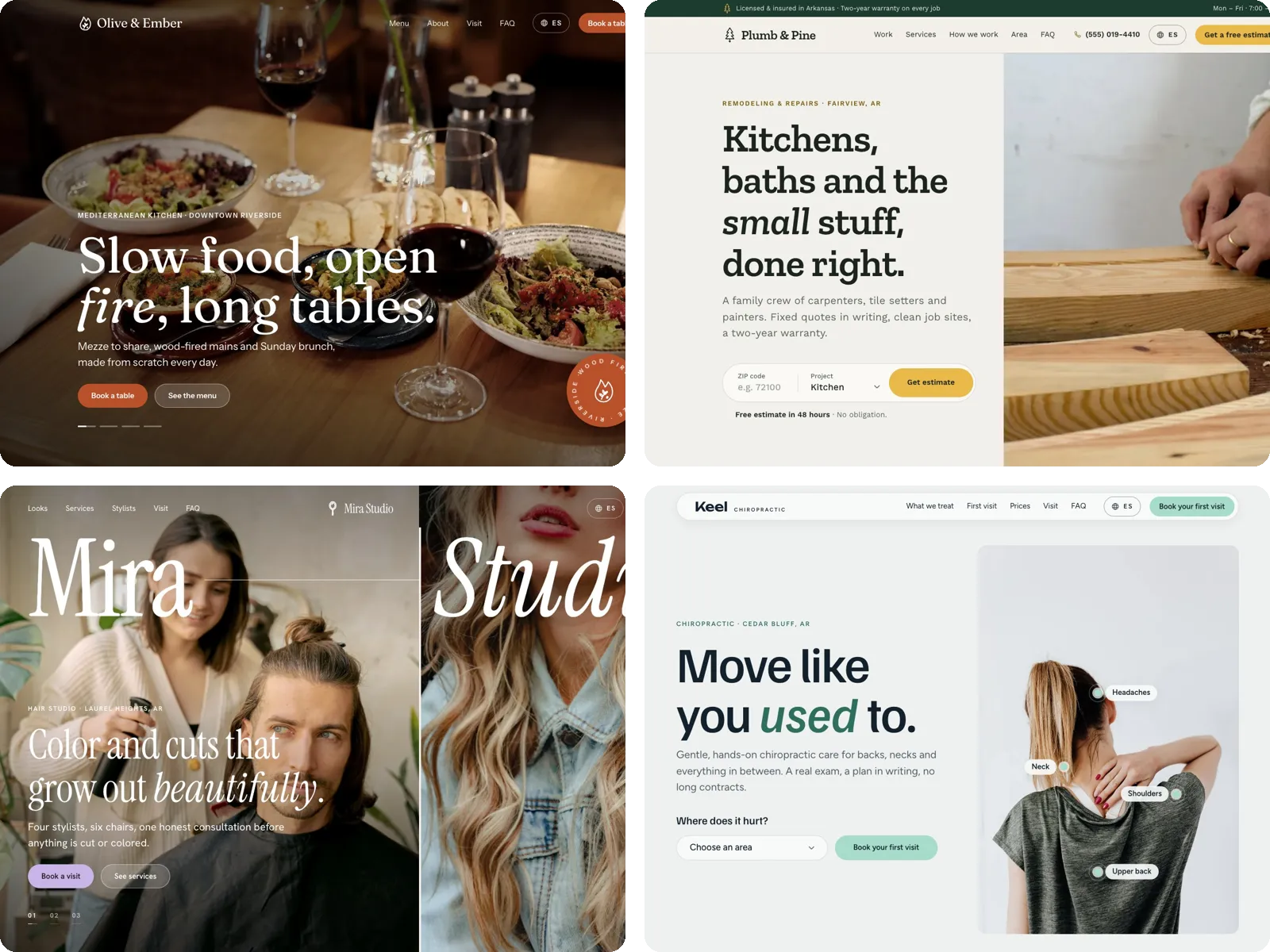
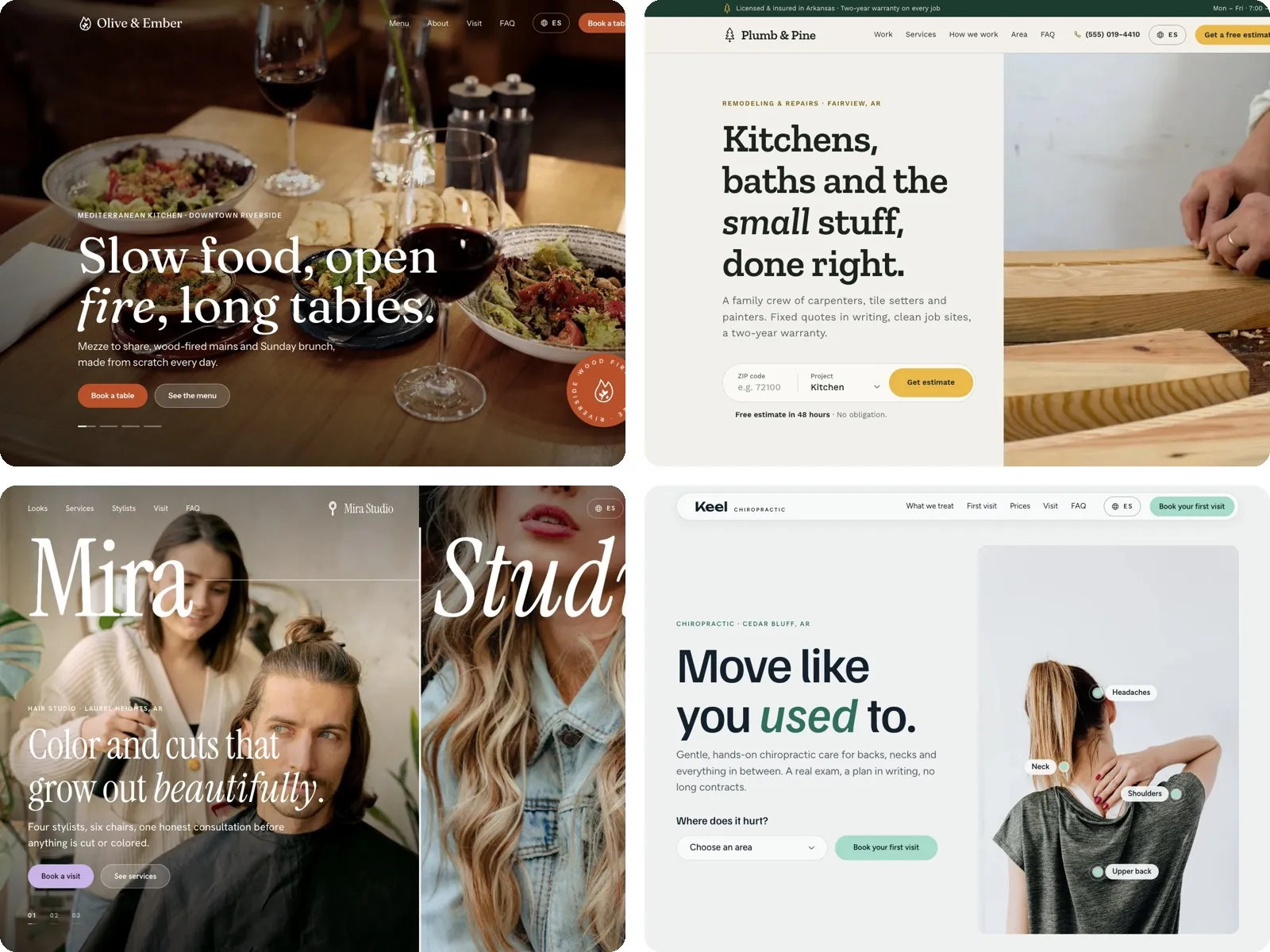
Here is the difference on a made-up accounting firm. A typical first screen says “Empowering growth through innovative financial solutions,” with a stock photo of a handshake and a button that says “Learn more.” It looks professional and tells the visitor nothing. The same screen, rewritten for the test, says “Bookkeeping and payroll for restaurants in Arkansas,” then “Your books closed by the 10th of every month,” then one button: “Book a 15-minute call.” Nothing about it is trendy. A restaurant owner understands it in two seconds, and knows whether to stay.
We build our small business websites this way. Every sample site we’ve made answers the same five questions on its first screen, before anyone scrolls: what the business does and where, why it’s good at it, why you can trust it, what to do now and what happens next. We show the full breakdown, with a real example, in our guide to creating a website for your business.
Held up, and changed: motion that the browser does by itself
Motion stayed popular in 2026, but the way it’s built changed more than the way it looks. Effects that used to need a heavy script library are now built into browsers.
Two features matter most. View transitions let a page morph smoothly from one state to another, for example a product card that grows into the product page. Scroll-driven animations tie movement to the scroll position without any script. Both have spread fast, but not evenly.

Same-page view transitions became available in every major browser in October 2025, when Firefox 144 added them. Transitions between two separate pages, and scroll-driven animations, work in Chrome, Edge and Safari but not yet in Firefox’s regular release, according to the browser data behind web.dev and MDN. Both are on the list of features the browser makers agreed to work on together in Interop 2026, so full support is likely, but you can’t count on it today.
That has one practical consequence: build motion so the page works without it. The text should be readable before anything moves, and a visitor whose browser doesn’t support an effect should get the same content, only without the movement.
We learned this the hard way this year. On some of our sample sites, we used scroll-driven animations to fade sections in as you scrolled. It looked great in Chrome. In Safari, if you stopped scrolling halfway, a section could stay half-faded until you moved again. A visitor doesn’t think “that’s a browser quirk.” They think the page is broken. We switched those entrances to a simple time-based fade that plays once when a section comes into view, and kept scroll-linked motion only for small details where a half-finished state doesn’t matter.
Motion also has to respect people. Some people get dizzy or sick from large movement on screen, and the W3C’s accessibility guidelines name parallax scrolling as a common trigger. Anything that moves by itself for more than five seconds needs a way to pause, stop or hide it, and every device lets people ask for less motion, a setting a site should honor. Only about half of websites include that setting in their styles at all.
Applied to our test, motion earns its place when it explains something: where you came from, what changed, what comes next, or that your click worked. When it only decorates, it slows people down.
Became the floor: speed and accessibility
Two things moved from “nice to have” to “expected” in 2026: pages that load fast on a phone, and pages that everyone can use. Both pass our test by definition. A page that loads slowly or can’t be read is a page nobody understands.
On speed, the web is getting better, slowly. Google measures loading, response and visual stability with three numbers called Core Web Vitals. According to the Web Almanac 2025, 48% of websites passed all three on phones in 2025, up from 32% in 2021. On computers, it was 56%.

Pages are also getting heavier. The median home page on a phone now weighs about 2.6 MB, 8.4% more than a year before, with about 650 KB of JavaScript. That matters for design decisions. A full 3D library like three.js, which we use ourselves, adds roughly 190 KB of compressed code before a single model loads, by our own measurement. It can be worth it, but only if it loads after the content and only if it helps people understand something.
The fixes are rarely glamorous. Resize every image to the size it’s shown at and save it in a modern format. Load fonts from your own domain, as about 72% of sites now do for at least one font, and use only the weights you need. Skip the autoplaying hero slider: it adds weight, and most visitors never see the second slide. Load anything heavy, like 3D, video or a chat widget, after the main content is on screen. And test on a real, mid-range phone, not only on the fast laptop where the site was designed.
On accessibility, the numbers are worse. The WebAIM Million 2026 report tested the home pages of the top one million websites and found detectable failures on 95.9% of them, with an average of 56 errors per page. The most common problem by far is text that doesn’t stand out enough from its background.

Notice that most of those failures are design decisions: light gray text on white, icons with no label, a photo with no description. They are also some of the easiest to fix, and fixing them makes the page clearer for everyone, not only for people with a disability. Low contrast is exactly the kind of “it looks elegant” choice that fails our test.
The law is moving in the same direction. The European Accessibility Act has applied to many consumer-facing websites and online services since June 28, 2025, with an exemption for the smallest service businesses. In the US, plaintiffs filed 3,117 website accessibility lawsuits in federal courts in 2025, 27% more than in 2024. And the Department of Justice’s rule for state and local government websites was pushed back a year in April 2026, to April 2027 for larger governments and April 2028 for smaller ones, but not cancelled. None of this is legal advice. It does mean accessibility is now part of the job, not an extra.
Our own site runs a check before every release that flags any color, size or style that doesn’t come from our design system, along with missing image descriptions. It’s a simple safeguard, and it’s the kind of thing a small team can set up once and then forget about.
Changed the most: search, now read by AI first
The biggest change of 2026 happened outside the page. More and more people get their answer before they ever reach a website.
The numbers point the same way, even though they measure different things. In a Pew Research Center study of real browsing data, people who saw an AI summary on a Google results page clicked a regular search result in 8% of visits, against 15% when there was no summary. Only 1% clicked a link inside the summary itself.

SparkToro, using clickstream data from Similarweb, estimated that 68% of US Google searches ended without a click in early 2026, up from about 60% in 2024. And Ahrefs found that when an AI Overview appears, the top-ranking page gets 58% fewer clicks on average than expected, though that is a correlation, not proof of cause.
So what should a website do about it? Here the advice is reassuringly plain. Google says there are no extra technical requirements for appearing in its AI features beyond being a normal, indexed page. Its newer guide to generative AI search says you don’t need special files, special markup or an ideal page length, and asks for “unique, non-commodity content”: original material from your own experience, with a point of view.
That’s also why I’m skeptical of shortcuts. A file called llms.txt was widely promoted in 2025 and 2026 as a way to talk to AI tools. Only about 2% of sites have a valid one, and Google’s John Mueller called it “purely speculative for now”.
What does work is what has always worked, made more important by AI: say what you do in plain words, in text rather than inside images, with real facts, prices, places and examples. For most businesses, that means a few things every page should state clearly: who you serve, what you offer, where you work, what it costs or how you price it, and what makes your way different, ideally with a short example or a number from your own experience. Answer the questions customers actually ask, in their words, in a short FAQ. Keep the same facts on your website, your Google Business Profile and your social profiles, so every summary tells the same story. A page that an AI can summarize correctly is a page a person understands quickly too. This is our test, applied to a new kind of reader.
What faded, and what comes next in 2027
Not every 2026 trend held up against the test. A few faded, or never became what the trend lists promised.
- 3D everywhere. Many lists called 3D and immersive pages a standard expectation. The data says otherwise: WebGPU, the newest way to draw 3D in a browser, ran on about 0.24% of sites in 2025. 3D works as a single, purposeful moment. Our own homepage uses one 3D square, taken from the dot in our logo, and it loads only after the rest of the page is on screen.
- Dark mode as a must. Some roundups called dark mode standard. Only about 13% of pages respond to a visitor’s dark mode setting, and in a small NN/g survey about a third of people used dark mode, a third used light mode and a third mixed the two. Worth doing well for products people use for hours. Optional for most marketing sites.
- AI as the feature. Adding “AI-powered” to every headline and a sparkle icon to every button turned into noise this year. NN/g describes the mood as past peak hype and into fatigue. People care about what a product does for them, not which technology it uses.
The big forecasts for 2027 aren’t out yet. But based on what held up, this is what I’d plan for:
- Craft and specificity will matter more, not less. As AI tools get better at the average, the distance between average and distinctive will become more visible. Invest in a real system: type, color, photography and voice that are clearly yours.
- Native motion will reach every browser. With page-to-page transitions and scroll-driven animations on the shared Interop list, 2027 is likely the year you can use them without a fallback plan for one browser. Use that freedom to explain, not to decorate.
- Accessibility deadlines will arrive. April 2027 is the first Title II deadline for larger state and local governments in the US, and their vendors will feel it. Private businesses face the same expectations through lawsuits and customers.
- Pages will be written for two readers. People who skim, and AI tools that summarize. Both reward the same thing: clear structure, plain words and original facts.
How to apply this to your own site. Trends only matter when they serve a goal. Start with what your site needs to do, then use the test:
- If your site looks dated: strengthen the type hierarchy, replace stock photos with real ones and cut the first screen down to the offer, one line of proof and one action.
- If you want to stand out in a crowded market: build an ownable system first, then add one signature detail, such as a texture, a type treatment or a single purposeful 3D or motion moment.
- If you need to move faster: build from reusable sections and a small set of named styles, and let AI tools draft inside that system instead of starting from their defaults.
- If you’re not sure where you stand: check your speed in Google’s PageSpeed Insights, check your contrast, and read your first screen out loud. If it doesn’t say what you do in one breath, start there. If you run a small business, our free website check does much of this for you in about 30 seconds.
Often the biggest gains come from the basics: a clear type system, a considered palette and consistent use, which is the core of our brand identity work. For a small business, the trend that matters most is a site that’s clear and fast on a phone, which is how we build our small business websites.
Whatever you try next year, ask the same question first: does it help people understand us faster?